Who Blocked Me on WhatsApp? Signs and Ways to Check
Published 10 October 2026
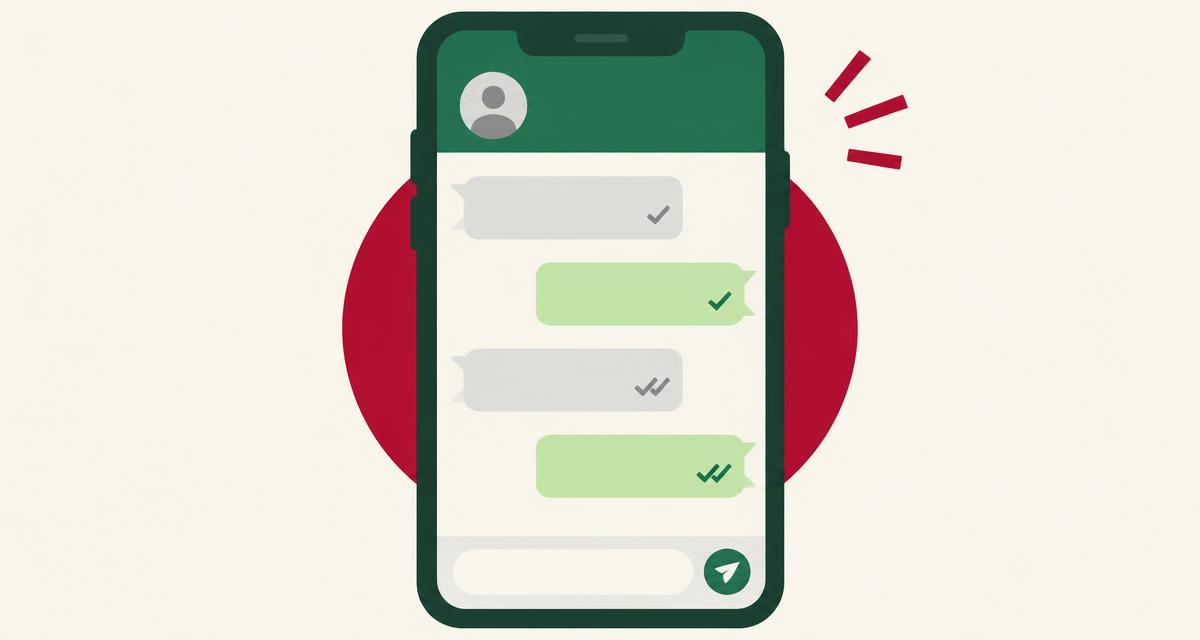
Illustration — not a screenshot of WhatsApp.
WhatsApp doesn't tell you who blocked you, and there's no list anywhere in the app. If you're asking 'who blocked me on WhatsApp?', the honest path is to look at one contact at a time and read a handful of signs that WhatsApp itself shows.
This guide walks through those signs — message ticks, profile photo, last seen, status and calls — and explains why almost every one of them can also be caused by privacy settings or a phone that's simply off.
Can you see who blocked you on WhatsApp?
No. WhatsApp's own help pages say the app doesn't tell people they've been blocked. The 'Blocked contacts' screen under Settings > Privacy only lists people you have blocked.
WhatsApp's account report ('Request account info') also doesn't include who blocked you.
How to check if someone blocked you on WhatsApp
Use your existing chat with the person. Please don't send extra messages or calls just to test.
- Look at the ticks on your recent messages. One gray tick means sent but not delivered; two gray ticks mean delivered.
- Open their contact info by tapping their name. Check whether a profile photo and About text are visible.
- Look under their name in the chat header for 'online' or 'last seen'.
- Open the Updates tab to see whether their status updates still appear.
- Check your call history for calls that stayed on 'Calling' and never changed to 'Ringing'.
- Compare the timing. Signs that all started on the same day and stayed for several days carry more weight.
Signs that someone may have blocked you on WhatsApp
WhatsApp's help center lists these same signs, and adds that seeing all of them could mean you've been blocked — but that there are other possibilities too.
- Messages stay on one gray tick for days.
- Their profile photo has been replaced by a gray placeholder.
- Last seen and online never appear.
- Their status updates no longer show.
- Voice and video calls never ring through.
Blocked, offline or just private?
Offline phone: messages stay on one tick and calls don't ring — exactly like a block. Usually it clears within hours or days.
Privacy settings: profile photo, About, last seen, online and status can each be limited to 'My contacts', specific people or 'Nobody'. If you turned off your own last seen, you can't see theirs either.
Removed from contacts: if they deleted your number and their photo is set to 'My contacts', you'll see a placeholder — without any block.
New number or deleted account: messages to an old number may never deliver.
The useful question is whether delivery and calls also fail. Privacy settings don't stop messages being delivered, so two gray ticks mean you're not blocked.
How to check for free
Everything above is free and happens in your own WhatsApp. If you want help weighing the signs, the Who Block Me WhatsApp checker explains each one without asking for your phone number or login.
One thing to avoid: adding the person to a new group to 'test' them. It puts pressure on someone who may have chosen to step back.
Is there an app to see who blocked you on WhatsApp?
No app can legitimately show you who blocked you on WhatsApp. WhatsApp does not offer that information to anyone — not to you, and not to outside developers. Its official developer tools don't include a "who blocked me" feature, so any app claiming to have one is either guessing or misleading you.
These apps often ask you to log in with your username and password, or to paste a code or cookie from your browser. That gives a stranger full control of your account. People have lost accounts, had spam sent from them and been asked to pay to 'unlock' results that were never real.
Warning signs to watch for:
- It asks for your password or a login code.
- It promises a complete or guaranteed list of people who blocked you.
- It charges money to reveal names.
- It asks you to install a browser extension or profile on your phone.
- It confuses people who blocked you with people who unfollowed you — those are different things.
What to do next
Give it time — most delivery issues clear by themselves. If the person is someone you know and the matter is important, a single calm message through another normal channel is reasonable. If they've chosen to limit contact, respecting that is the right call.
Check the signs step by step
Frequently asked questions
Does one tick mean I'm blocked on WhatsApp?
Not on its own. One tick means not delivered yet, which usually means their phone is off or offline.
Will WhatsApp tell me if someone blocks me?
No. WhatsApp deliberately doesn't notify blocked contacts.
Can I see their profile photo if they blocked me?
No. You'll stop seeing updates to their photo. But privacy settings can hide it as well.
If I'm blocked, will messages deliver after I'm unblocked?
Messages sent while blocked won't be delivered later. New messages after unblocking will.
Can I call someone who blocked me?
The call won't connect. It typically stays on 'Calling'.
Is there an app to see who blocked me on WhatsApp?
No. WhatsApp doesn't share this information, and such apps can compromise your account.
Conclusion
You can't see a list of who blocked you on WhatsApp. For one contact, look at ticks, photo, last seen, status and calls together — and remember that if messages show two ticks, you're not blocked. Everything else is a possibility, not proof.
More from the blog
Who Block Me is independent and not affiliated with WhatsApp. We can't see any account and can't confirm whether anyone blocked you.